
Introduction Like everyone's computer needs a body of software to allow them to complete daily tasks. When you turn your laptop on, when you access a web browser, when you save a word document or even when you connect up your printer, a variety of software programs work in the background to provide a seamless …
This article is part of
Software
Introduction
Like everyone’s computer needs a body of software to allow them to complete daily tasks. When you turn your laptop on, when you access a web browser, when you save a word document or even when you connect up your printer, a variety of software programs work in the background to provide a seamless experience.
While you can use applications (software that is opened up to perform a certain task), system software mostly operates in the background. It handles the hardware management and functionality, and offers the environment within which other programs can all run.
So, What is system software and why is it essential? We answer the question by providing an overview of the definition of system software, types of system software, roles, and common examples.
What Is System Software?
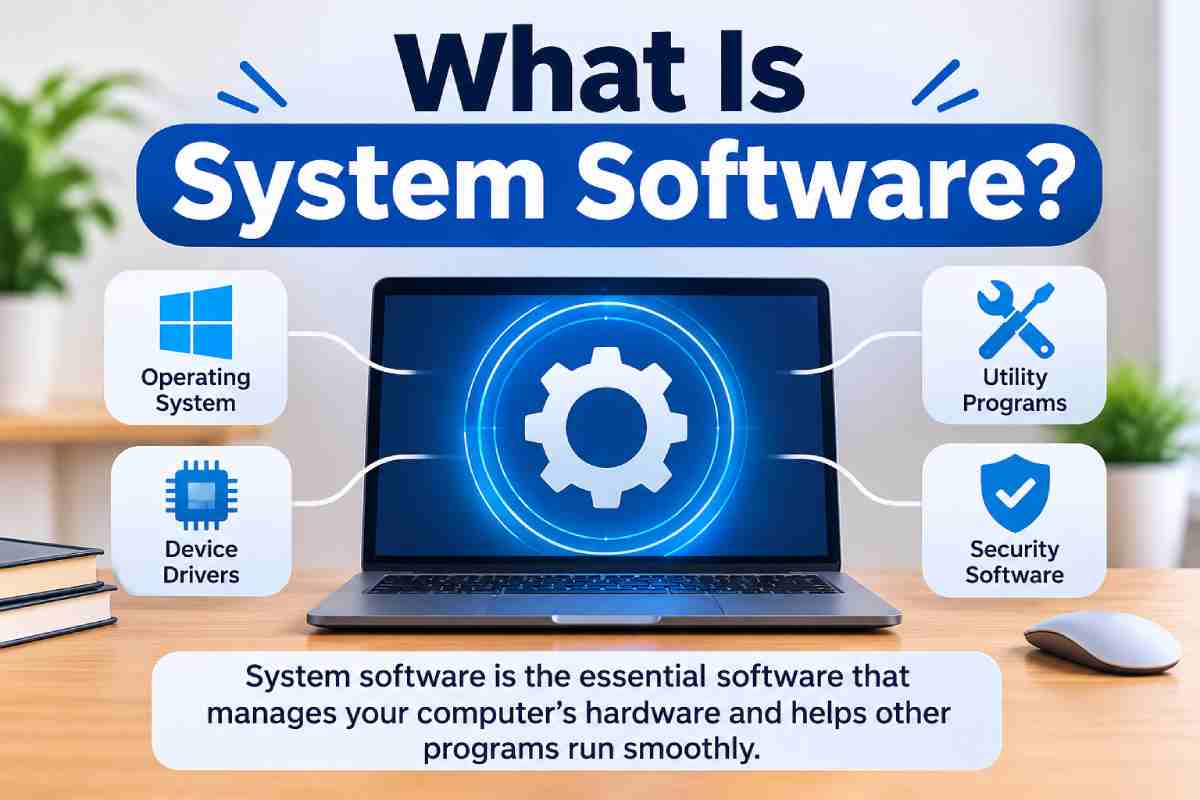
System software is the set of programs that manage the computer hardware and serves as the foundation for running application software. It connects the hardware and application software with the user.
When you turn on your computer the system software assists in the starting of the device, handles the memory and configures the operating system. The system software allows other applications to interface with the hardware, such as the keyboard, monitor and disk drive.
Some common examples of system software include:
- Microsoft Windows
- macOS
- Linux
- Device drivers
- Utility programs
- Firmware
Without system software, running applications and managing computer hardware would be extremely difficult.
What Are the Main Types of System Software?
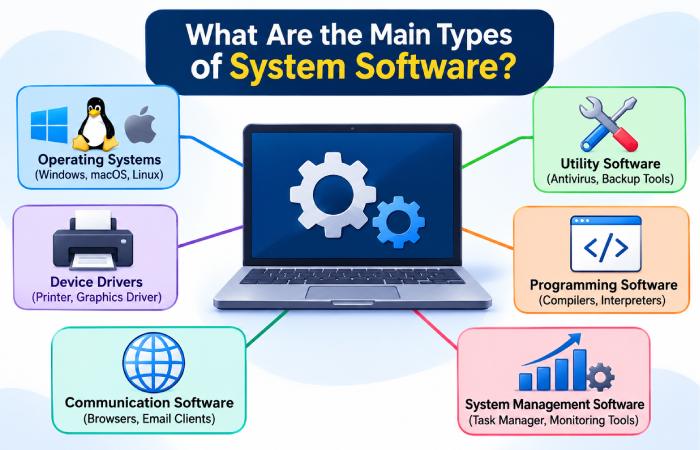
There are many flavors of system software, and each one plays a different role in keeping a computer up and running.
1. Operating Systems
It is the master system software that controls all the computer resources. It also provides an interface between the user and a computer to carry out various applications.
Some common operation systems are Windows, macOS, Linux, Android and iOS.
Its main functions are to look after the memory, browse files, manage the hardware, run applications and permits the user.
For instance, when you fire up Google Chrome, it is the OS which supplies the memory and processing power to make it work.
2. Device Drivers
A device driver is a type of specialised software that allows a computer’s operating system to communicate with a certain hardware device. Hardware components and external devices have specific drivers.
Common examples include:
- Printer drivers
- Graphics drivers
- Audio drivers
- Network adapter drivers
- Keyboard and mouse drivers
For instance, when you connect a printer to your computer, its driver helps the operating system send instructions that the printer can understand.
Without the correct driver, the device may not work properly or some of its features may remain unavailable.
3. Utility Software
It’s a utility program that your computer runs to keep itself healthy, safe, and running well. Utility software tools perform maintenance and other management tasks.
A few examples are anti-virus programs, disk-cleaning programs, backup utilities, file-compression programs and storage-management tools.
A utility that copies data files for later recovery of the file in case the file is accidentally deleted or the system encounters a problem.
4. Firmware
Firmware is software that lives in any device’s non-volatile storage, providing the instructions that enable the hardware to function properly.
Computer, router, printer and smart tv.
Examples include BIOS, UEFI, router firmware and printer firmware.
Firmware is closely connected to the hardware and plays an important role during device startup and initialisation.
5. Language Translators
Language translators are specific programs that takes a set of programming instructions and converts them into instructions that a computer can execute. They play an important role in software development because a computer can’t execute the majority of high-level programming languages directly.
The main types are:
- Compiler: Translates source code into machine code or another executable form before execution.
- Interpreter: Processes and executes program instructions at runtime.
- Assembler: Converts assembly language instructions into machine code.
These tools help developers create software that computers can understand.
What Are Some Examples of System Software?
System software is used in almost every modern computing device. Here are some common examples and their purposes.
| System Software | Main Purpose |
|---|---|
| Windows | Manages desktop and laptop operations |
| macOS | Provides Apple’s desktop operating environment |
| Linux | Supports desktops, servers and embedded systems |
| Android | Manages Android mobile devices |
| Printer Drivers | Enable communication with printers |
| Antivirus Utilities | Help identify and respond to security threats |
| BIOS/UEFI | Supports hardware initialisation and system startup |
These examples show that system software is not limited to computers. Smartphones and other electronic devices also depend on it.
System Software vs Application Software
System software and application software are both essential, but they have different responsibilities.
System software manages hardware and provides the platform for other programs. Application software helps users complete specific activities.
| Feature | System Software | Application Software |
|---|---|---|
| Main Purpose | Manages computer operations | Performs specific user tasks |
| Operation | Often runs in the background | Usually interacts with users |
| Dependency | Supports applications | Depends on system software |
| Examples | Windows, Linux, drivers | MS Word, Chrome, Photoshop |
| Main Focus | Hardware and system resources | User requirements |
Why Is System Software Important?
System software is important because it makes computer hardware usable and it allows different programs to talk to each other.
Its importance can be understood through the following points:
- Reliable operation: It coordinates essential system processes and hardware activities.
- Better resource management: It manages memory, storage and processor time.
- Application compatibility: It provides the services required by applications.
- Device connectivity: It helps computers communicate with connected hardware.
- System security: It supports access permissions, authentication and security updates.
- User interaction: It provides interfaces that make computers easier to operate.
It also allows software developers to create applications without having to manage every hardware component themselves.
Conclusion
System software is the program that runs a computer’s hardware and application programs. System software is what makes your hardware do what you want it to do.
All the worlds of your current pc’s like the following are classified as the program software: The operating program the device motorists utility courses some language course translators etc.
You might not initially realize it but it is system software that makes the things you do with your computer possible. Understanding various types of system software and its function can help put the workings of programs in perspective and the function of software for specific hardware.